
What's new?
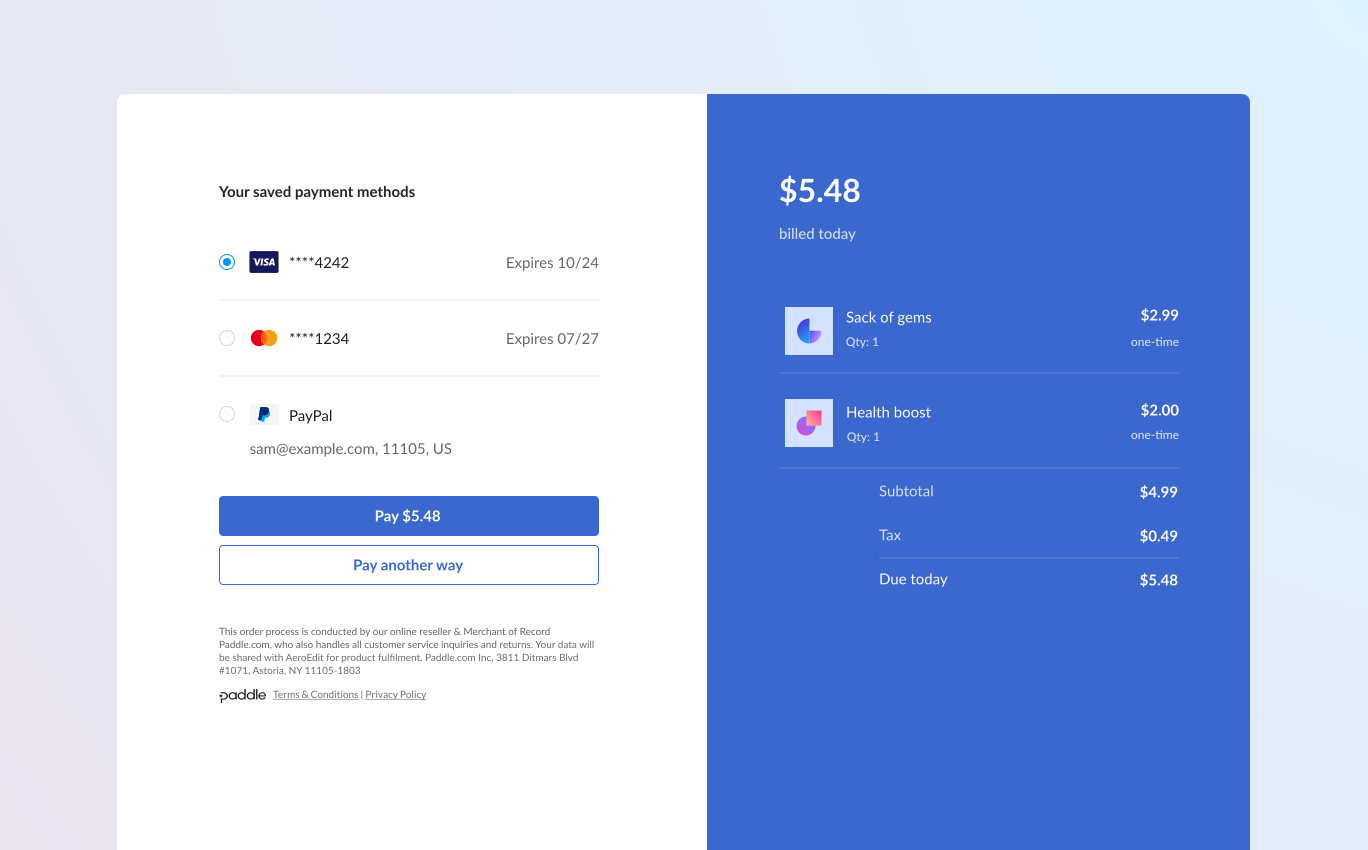
We've released saved payment methods. This lets customers save their payment method at checkout. Once saved, you can present customers with their saved payment methods when they make a purchase in the future.
As part of this update, there's a new saved payment method entity against customers that holds information about a payment method, as well as changes to Paddle.js to let you present customers with their saved payment methods.
Customers can view and delete payment methods using the customer portal.
How it works
When customers sign up for a subscription using Paddle Checkout, Paddle saves the payment method for renewals, upgrades and downgrades, and other charges related to that subscription.
With this update, Paddle now creates a saved payment method entity that you can work with using the API when a payment method is saved.
Customers purchasing one-time items can now choose to save their payment method at checkout, too. You can present saved payment methods to returning customers using Paddle.js.
Customer journey
Initial purchase
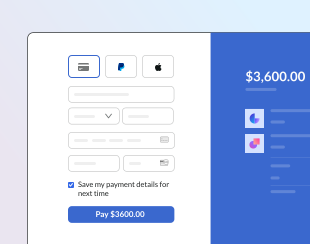
When purchasing one-time items and subscriptions, customers may check a box to save their payment method when completing payment.
Repeat purchase
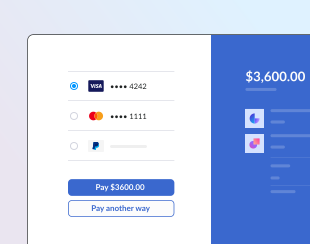
When customers come back in the future, you can securely present them with their saved payment methods to make checkout quick and easy.
You can only present saved payment methods when using one-page checkout.
Manage saved payment methods
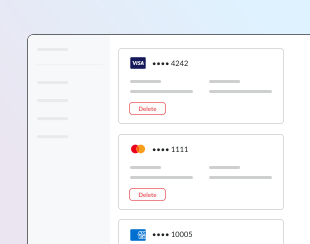
Customers can view and delete their saved payment methods using the customer portal. Paddle automatically includes a unique link in transaction receipt emails.
Saved payment method entity
Payment methods are now stored as a new saved payment method entity against a customer. Saved payment method entities hold information about a saved payment method, including how and when a payment method was saved, as well as details like the card type or other payment method information.
You can list, get, and delete saved payment methods using the API. There are also new events to let you know when a payment method for a customer is saved or deleted.
Saved payment method entities have their own Paddle IDs, starting paymtd_. This is returned in transaction.payments[] as payment_method_id, so you can match a saved payment method with a transaction payment attempt.
Authentication for Paddle Checkout
To present customers with their saved payment methods when they make a repeat purchase, there's a new customerAuthToken parameter for the Paddle.Checkout.open() method in Paddle.js.
You can generate an authentication token for a customer using a new operation in the Paddle API, which you can pass to Paddle.js to identify and authenticate a customer.
Examples
This example opens an inline checkout for a one-time item. customerAuthToken is passed to Paddle.Checkout.open(), so the customer is presented with any payment methods they previously saved.
var itemsList = [  {    priceId: 'pri_01gm81eqze2vmmvhpjg13bfeqg',    quantity: 1  }];
Paddle.Checkout.open({  items: itemsList,  customerAuthToken: "pca_01hwz42rfyaxw721bgkppp66gx_01h282ye3v2d9cmcm8dzpawrd0_otkqbvati3ryh2f6o7zdr6owjsdhkgmm",  settings: {    displayMode: "inline",    frameTarget: "checkout-container",    frameInitialHeight: "450",    frameStyle: "width: 100%; min-width: 312px; background-color: transparent; border: none;",  }});
Next steps
This change is available in version 1 of the Paddle API.
Paddle automatically creates saved payment method entities for subscriptions. This includes subscriptions created before the release of saved payment methods.
To present and save payment methods for repeat purchases, go to Paddle > Checkout > Checkout settings, then check the Allow buyers to opt in to save their payment methods for future purchases box.
Once turned on for your account, update your integration to make a call to the Paddle API to generate a customer authentication token, then pass this to Paddle.js when opening a checkout to present saved payment methods.
Summary of changes
| Entity | Field | Change | Type |
|---|---|---|---|
| Customers | POST Generate an authentication token for a customer | + Added | API operation |
| Payment methods | GET List payment methods for a customer | + Added | API operation |
| Payment methods | GET Get a payment method for a customer | + Added | API operation |
| Payment methods | DELETE Delete a payment method for a customer | + Added | API operation |
| Paddle.Checkout.open() | customerAuthToken | + Added | Paddle.js param |
| Paddle.Checkout.open() | savedPaymentMethodId | + Added | Paddle.js param |
| allowedPaymentMethods | saved_payment_methods | + Added | Enum value |
| Allow customers to pay with a saved payment method at checkout. | |||
| Payment methods | payment_method.saved | + Added | Webhook |
| Payment methods | payment_method.deleted | + Added | Webhook |