
What's new?
Paddle now integrates with GitHub's secret scanning service. When a Paddle API key is found in a public GitHub repository, we're alerted and automatically revoke the key to keep your account secure.
How it works
Secret scanning is a standard industry security process that automatically searches for and identifies sensitive information that has been accidentally hardcoded or exposed. The goal is to find exposures before malicious actors do, preventing unauthorized access, data breaches, and other security incidents.
Paddle provides sensitive credentials that should be kept secret and only accessible to you, like webhook notification secrets and API keys. API keys are used to make requests to the Paddle API, potentially providing access to data in your Paddle account.
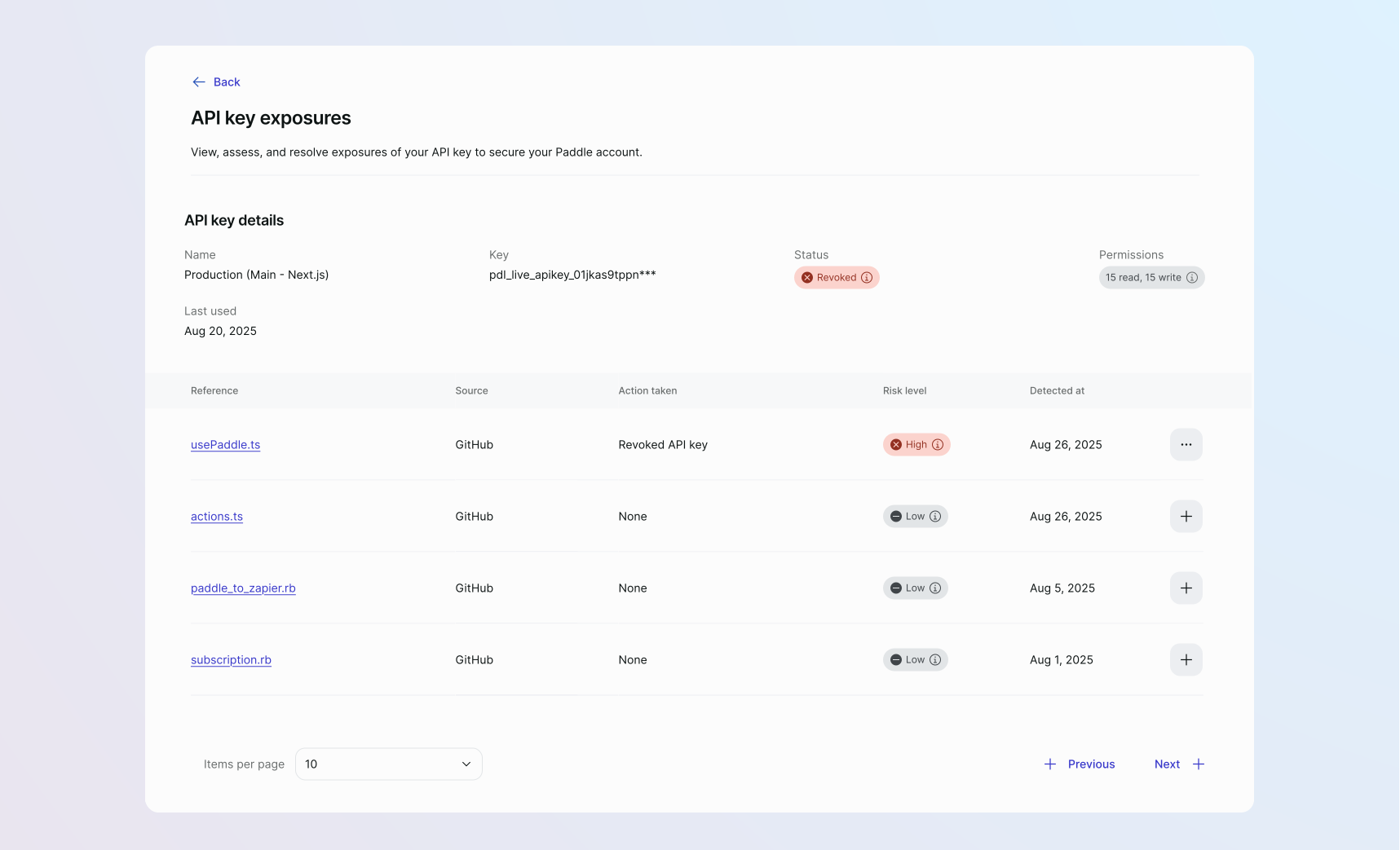
Now, we've implemented support for GitHub's secret scanning feature, which automatically detects exposed Paddle API keys in public repositories. The owner of your Paddle account is notified immediately by email when an exposure is detected.
Depending on the severity of the exposure, Paddle may take necessary preventative action like revoking the key:
- Critical
Your API key is actively being used by unauthorized parties. It's automatically revoked to protect your account. - High
Your API key is exposed in a public GitHub repository. It's automatically revoked to protect your account. - Medium
Your API key is exposed in a private repository. Investigate the exposure to determine if you need to manually revoke the key. - Low
Your API key is already expired or revoked. No action is needed, but a security review is recommended.
You can view all exposures for a specific API key at Paddle > Developer Tools > Authentication in the API key exposure dashboard.
Next steps
This change is live and available in version 1 of the Paddle API. It's automatically enabled so you don't need to do anything to use the feature.
Read more on API keys and secret scanning to understand how it works and what to do in the event of an exposure.
Even if you're unsure whether a key was compromised, we strongly recommend rotating your keys as a precaution to safeguard your account. It's also good security practice to regularly audit your keys for unauthorized usage and exposures.
Summary of changes
| Entity | Field | Change | Type |
|---|---|---|---|
| API key exposures | api_key_exposure.created | + Added | Webhook |