
What's new?
We've upgraded API keys with enhanced security features and management capabilities that make your integration more secure.
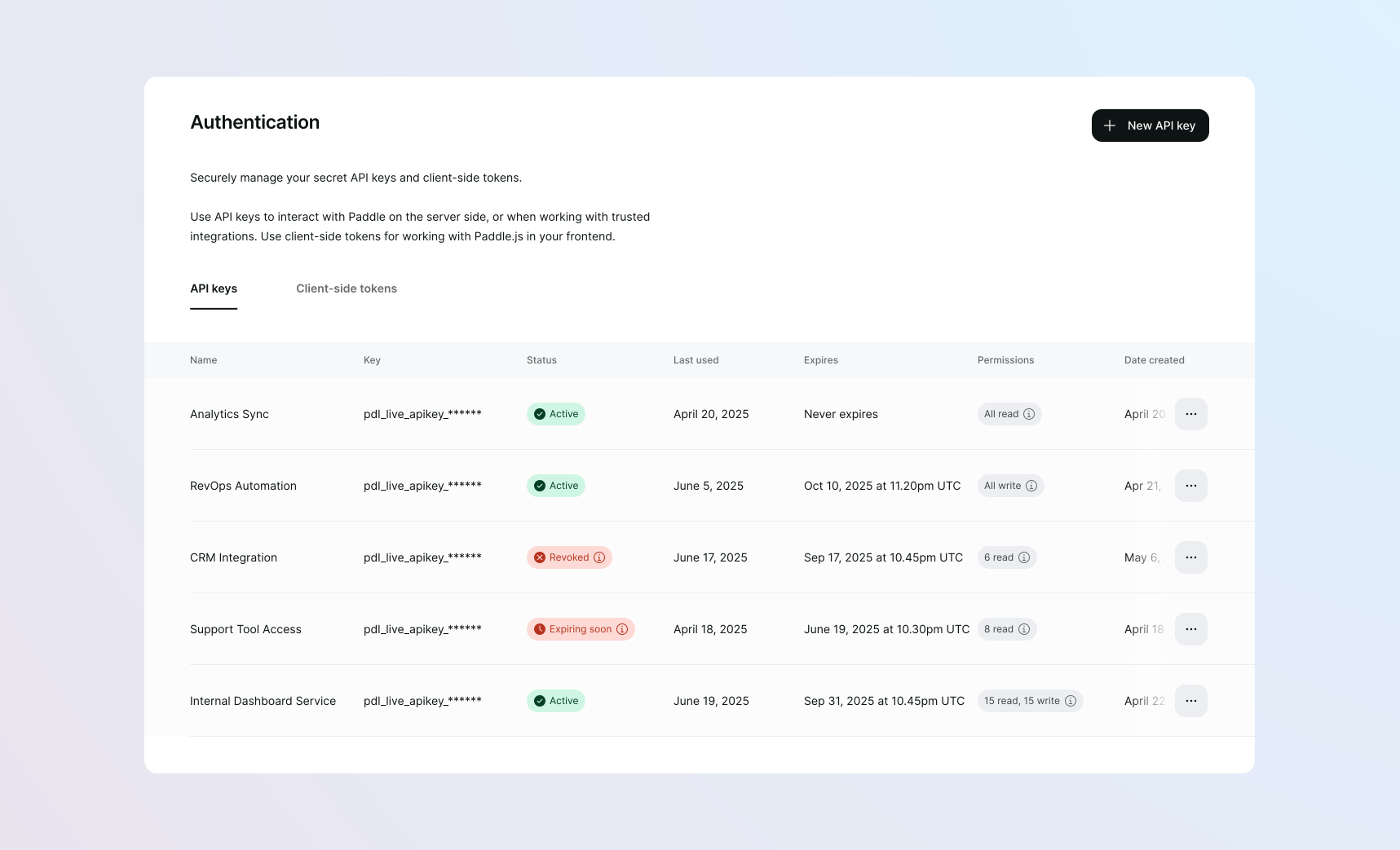
Previously, API keys were simple 50-character strings with no built-in information about their environment or purpose. Keys had unlimited lifespans and full access to all data on your account. With this release, API keys:
- Follow a standardized format that identifies their environment with
live_orsdbx_. - Are only visible when created.
- Can be assigned specific permissions to control access.
- Can expire to enforce regular rotation.
- Show when they were last used, helping you identify inactive keys and suspicious activity.
- Can be easily managed through a redesigned dashboard page.
How it works
API keys are now identified by a new format:
pdl_live_apikey_01gtgztp8f4kek3yd4g1wrksa3_q6TGTJyvoIz7LDtXT65bX7_AQOpdl_sdbx_apikey_01gtgztp8f4kek3yd4g1wrksa3_q6TGTJyvoIz7LDtXT65bX7_AQOWhen creating or editing an API key, select granular permissions to control which entities and operations the API key can access.
Setting an expiration date for the API key enforces regular rotation. This defaults to 90 days. The new api_key.expiring and api_key.expired events enable subscription to notifications for when API keys are expiring and expired, allowing you to build workflows to rotate keys and minimize disruption before they expire.
You can create multiple API keys with different permissions and expiry dates to give you more control over who has access to your data and for how long.
API keys can only be viewed once upon creation and must immediately be stored securely.
After using an API key, the last used date appears as Last Used in the list of API keys at Paddle > Developer Tools > Authentication.
Next steps
This change is live in v1 of the Paddle API. Existing API keys created before May 6, 2025 are now considered legacy API keys.
Legacy API keys continue to work without disruption, with no set timeline for deprecation.
We still recommend you migrate to the new API keys as soon as possible. Check the permissions reference to understand which permissions are needed for the requests you make, and assign those permissions to the API key when creating it.