
What's new?
We added a new parameter to the Paddle.Checkout.open() method and Paddle.Initialize() methods that you can use to prevent customers from removing an applied discount at checkout when working with Paddle.js:
Set general checkout settings.
Whether the user can remove an applied discount at checkout. Defaults to true
We also added a corresponding HTML data attribute:
true Whether the user can remove an applied discount at checkout. Defaults to true.
How it works
Discounts let you reduce the amount that a customer has to pay by a percentage (e.g. -10%) or fixed amount (e.g. -$10) for an item, transaction, or subscription. You can set discounts up so that customers can apply them at checkout using a code, orautomatically apply them by passing them to Paddle.js when opening a checkout.
When a discount is applied, Paddle Checkout includes an option to let customers remove an applied discount.
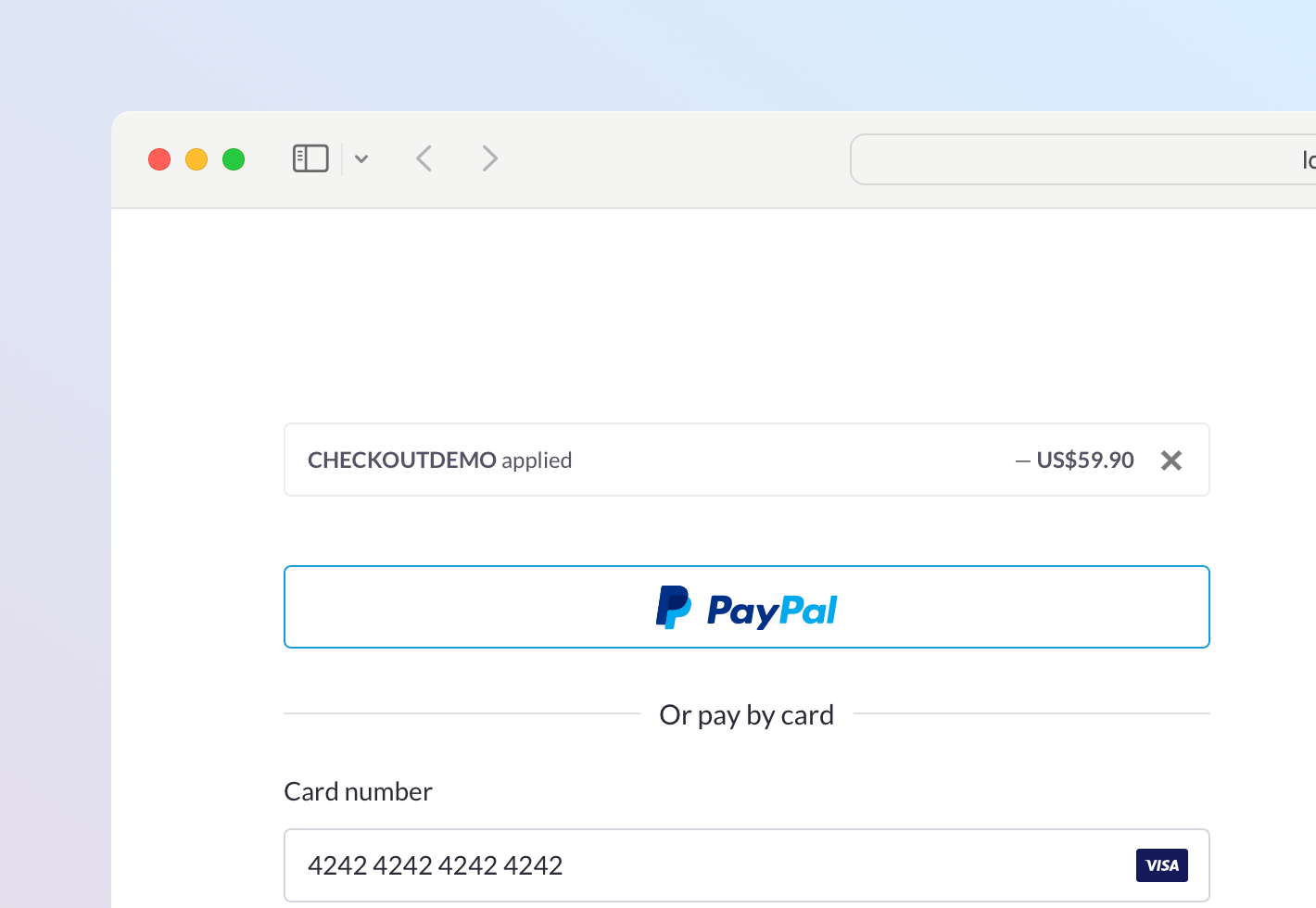
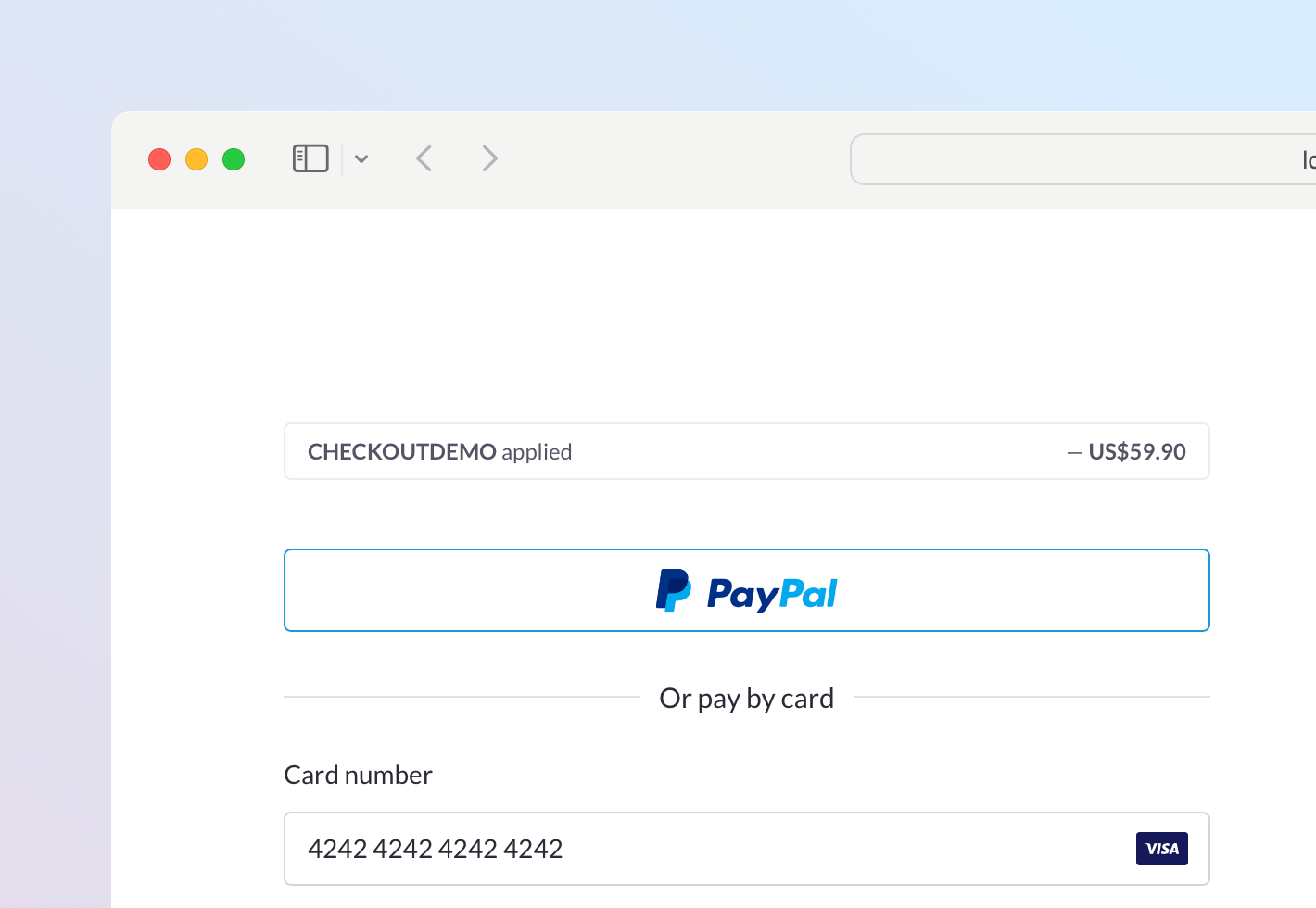
The new allowDiscountRemoval settings parameter and data-allow-discount-removal HTML data attribute let you prevent customers from removing an applied discount at checkout. When false, the message showing that a discount has been applied does not include the button to remove the discount.
When true (default)
When true (or if omitted), customers may remove the applied discount using the cross icon.
When false
When false, the applied discount is presented to the customer but they can't remove it.
You can pass settings for opened checkouts using either Paddle.Checkout.open() or Paddle.Initialize(). Settings passed to Paddle.Initialize() are default settings, applied to all checkouts opened on a page.
This change removes the option for customers to remove a discount themselves, but you can still use the Paddle.Checkout.updateCheckout() method to remove a discount programmatically.
Examples
This example includes the settings object as part of the checkout open method. allowDiscountRemoval is set to false, meaning the option to remove an applied discount is hidden.
The settings passed here only apply to the opened checkout.
var itemsList = [  {    priceId: 'pri_01gm81eqze2vmmvhpjg13bfeqg',    quantity: 1  },  {    priceId: 'pri_01gm82kny0ad1tk358gxmsq87m',    quantity: 1  }];
Paddle.Checkout.open({ settings: { displayMode: "overlay", theme: "light", locale: "en", discountCode: "CHECKOUTDEMO", allowDiscountRemoval: false }, items: itemsList,});This example sets default checkout settings for all checkouts opened on a page. allowDiscountRemoval is set to false, meaning the option to remove an applied discount is hidden.
Paddle.Initialize({ token: 'live_7d279f61a3499fed520f7cd8c08', checkout: { settings: { displayMode: "overlay", theme: "light", locale: "en", discountCode: "CHECKOUTDEMO", allowDiscountRemoval: false } }});Next steps
This change is live in Paddle.js now, so you can start using allowDiscountRemoval or data-allow-discount-removal when you're ready.
You don't need to do anything to get the latest version of Paddle.js — we serve the latest version automatically.
Summary of changes
| Entity | Field | Change | Type |
|---|---|---|---|
| Paddle.Checkout.open() | allowDiscountRemoval | + Added | Paddle.js param |
| Show a remove button next to applied discounts. | |||
| HTML data attributes | data-allow-discount-removal | + Added | Paddle.js param |